Creating an autocomplete field | Setting up the backend | Part 1
Hello folks, so my exams are over and its time to roll. LOL pretty excited here. I am creating this series of two articles in which we will download all the pincodes (or zipcodes), add them to a MySQL database, write an API in PHP to retrieve the data in JSON, and finally we will write our form, in which, when we enter a pincode, we automatically get the 'taluka', 'district' and 'state' fields filled. So lets begin.
(and if you are from outside India, a 'taluka' is a small region, like a city)
Step 1 - Getting the Pincode list
This was my biggest concern. Where do I get a list of all the pincodes in India. I could write a script and iterate through all the possible pincodes from 100000 to 999999, but, of course, there had to be a better way (and by the way, I would have got banned by the site if I sent around a million requests in a short period of time).
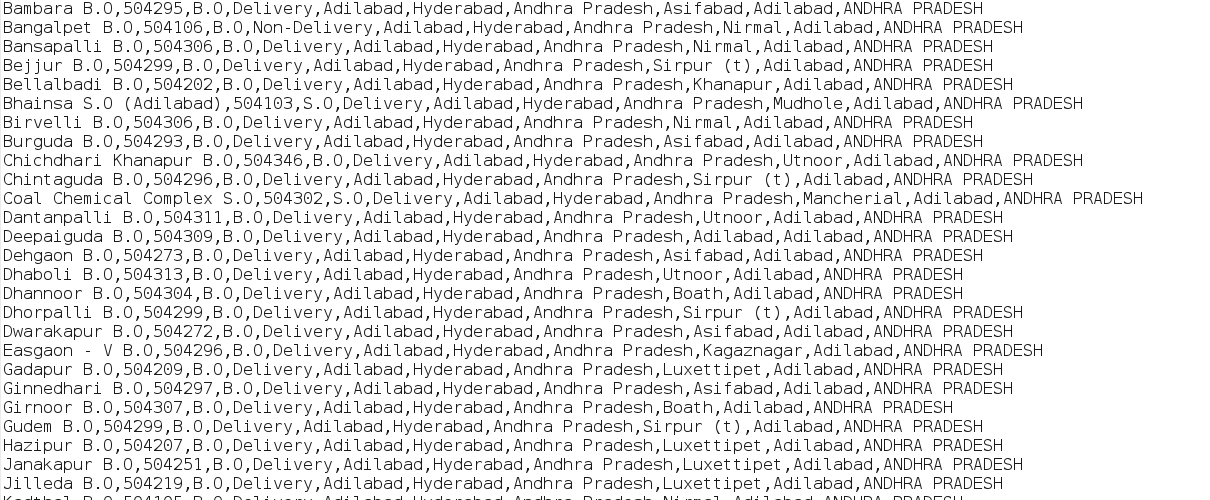
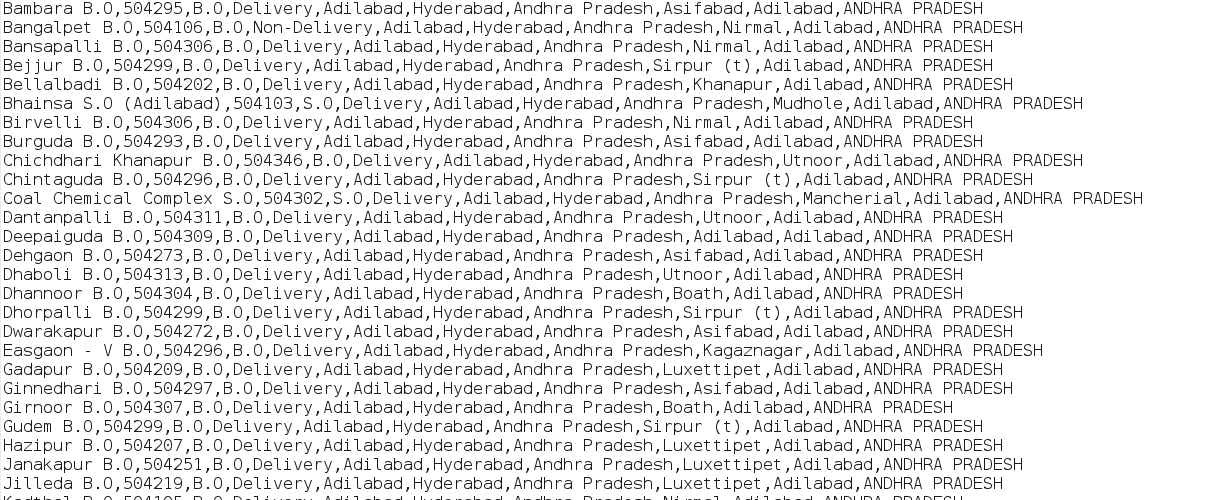
Fortunately, after some googling, I found a list here, at data.gov.in, to directly download the list, click here. The data is in .csv format, which is essentially a text document with some proper ordering (LOL).
Step 2 - Setting up MySQL database
We will now add the values to a database with will serve as our source to retrieve data in the form. I am selecting MySQL because, well, that is the only SQL I currently know (wink!). I assume you know the basics of how to create a database, and even if you don't, you can do it easily by using the phpmyadmin. It is graphical, and will get the work done.
The columns available for inserting data are:
officename,pincode,officeType,Deliverystatus,divisionname,regionname,circlename,Taluk,Districtname,statename
The columns available for inserting data are:
officename,pincode,officeType,Deliverystatus,divisionname,regionname,circlename,Taluk,Districtname,statename
I will be using only 'pincode', 'Taluk', 'Districtname', 'Statename' here to avoid any unnecessary cluttering.
Create a database: 'turnouts'
Create a table: 'pincode'
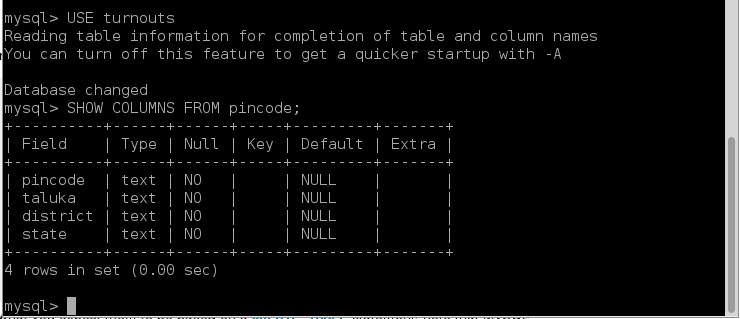
Create 4 columns: 'pincode', 'taluka', 'district', 'state'
Needless to say, these are just names and you can have what you want, but just don't go insane over them. This is how it should look, or similar.
Having done that, move to step 3.
Step 3 - Writing the PHP script to enumerate database
So now we need to fill those database fields with data. If you take a look, the .csv file that we downloaded has around 152,000 lines. We can insert them manually, but that would take two and a half month, so we are better off writing a script. Language is on you. Python would work, but I preferred PHP, no good reason, I just choose it.
Basically we read a line in the file, select the data that we are concerned about, generate a MySQL query dynamically in a loop, and execute the query. Then move to the next line till feof or end of file.
Here is the php code.
<?php
	$file = fopen("pincodes.csv", "r") or die("Open file");
	$server = "localhost";
	$username = "root";
	$password = "password";
	$db = "turnouts";
	$conn = mysql_connect($server, $username, $password);
	mysql_select_db("turnouts") or die();
	if(!$conn) {
		die("Connection failed: " . mysqli_connect_error());
	}
	while(!feof($file)) {
		$line = fgets($file);
		$words = explode(",", $line);
		$pincode = $words[1];
		$taluka = $words[7];
		$district = $words[8];
		$state = $words[9];
		$sql = "INSERT INTO pincode (pincode, taluka, district, state) VALUES ('$pincode', '$taluka', '$district', '$state')";
		mysql_query($sql, $conn);
		mysql_error($conn);
	}
	fclose($file);
	mysql_close($conn);
?>
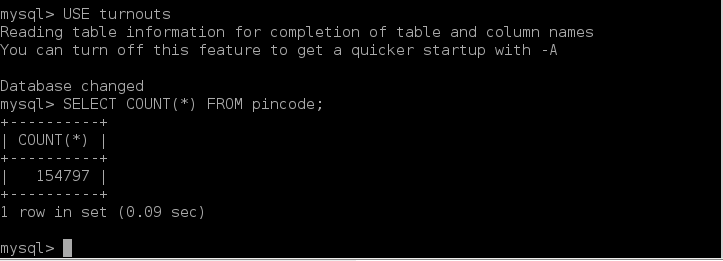
This code will take some time to execute. On my low end box, it took 90 minutes approx. After having executed, you should have a database with some real data. Here's the row count, a whooping 154,797.
Now that we have our database setup, we are all set to write the front end. To make it easy to follow, I will write it in the second part of this series.
Edit: Here is the Part 2 Enjoy!
